
Physical Barriers to Communication: Causes & Proven Solutions
Communication is a two-way street, but sometimes the road isn’t as clear as it should be. Physical barriers often get in the way, making it difficult for people to exchange messages effectively. Whether you’re working in an office, managing a remote team, or trying to have a simple conversation, physical obstacles can cause confusion, delays, or even complete breakdowns in communication. These challenges form an important part of broader types of communication barriers that affect everyday interactions.
Let’s break down what physical barriers to communication really are, why they matter, and what you can do about them.
What Are Physical Barriers to Communication?
Physical barriers to communication are tangible, environmental obstacles that disrupt the sending, receiving, or accurate interpretation of a message. Unlike psychological or cultural barriers, they exist in the physical world — in the room, the building, the device, or the distance between two people.
They include things like:
- Geographic distance between communicators
- Background noise and environmental distractions
- Faulty hardware, software, or unstable internet
- Restrictive office layouts and closed-off workspaces
- Disabilities not supported by accessible design
In short, if you can point to it, hear it, or measure it — and it’s getting in the way of a clear message — it’s a physical barrier.
Quick takeaway: Physical barriers are environmental, not emotional. That makes them the easiest type of communication barrier to identify and the most cost-effective to remove.
Why Physical Barriers Deserve Your Attention
The damage caused by physical barriers is rarely dramatic. It accumulates quietly — a missed instruction here, a misread email there, a meeting where half the team couldn’t hear the manager. Over weeks and months, that erosion shows up as:
- Operational errors that should have been preventable
- Slower project cycles caused by repeated clarifications
- Lower morale, especially among remote and hybrid workers
- Higher employee turnover in roles where communication friction is constant
- Reputational damage when clients receive mixed messages
In high-stakes environments — hospitals, manufacturing floors, emergency services — the cost is even sharper. A garbled instruction in a noisy operating theatre or on a factory line isn’t just inconvenient; it can be dangerous.
Physical barriers also rarely act alone. They tend to magnify other problems: a stressed employee (psychological barrier) struggling with a glitchy headset (physical barrier) is far more likely to misunderstand a message than either issue would cause on its own.
The 5 Most Common Types of Physical Barriers
Geographic Distance and Remote Setups
Distance is the oldest physical barrier — and the most relevant in the post-2020 work environment. When teams are scattered across cities, time zones, or countries, communication shifts from face-to-face to mediated, and nuance is the first casualty. Tone disappears in email. Body language vanishes in chat. Subtle cues that grease in-person conversation get stripped out.
Real example: A regional manager messages a satellite branch with the instruction “Hold off on the Q4 launch.” In person, this would be a quick conversation. Over Slack, the team interprets “hold off” as “delay indefinitely” and pauses everything. The manager meant “wait one week.” Three days are lost before anyone catches the misunderstanding.
This is exactly where remote-work fatigue meets technological fragility — and why distance often overlaps with technological barriers.
Noise and Environmental Distractions
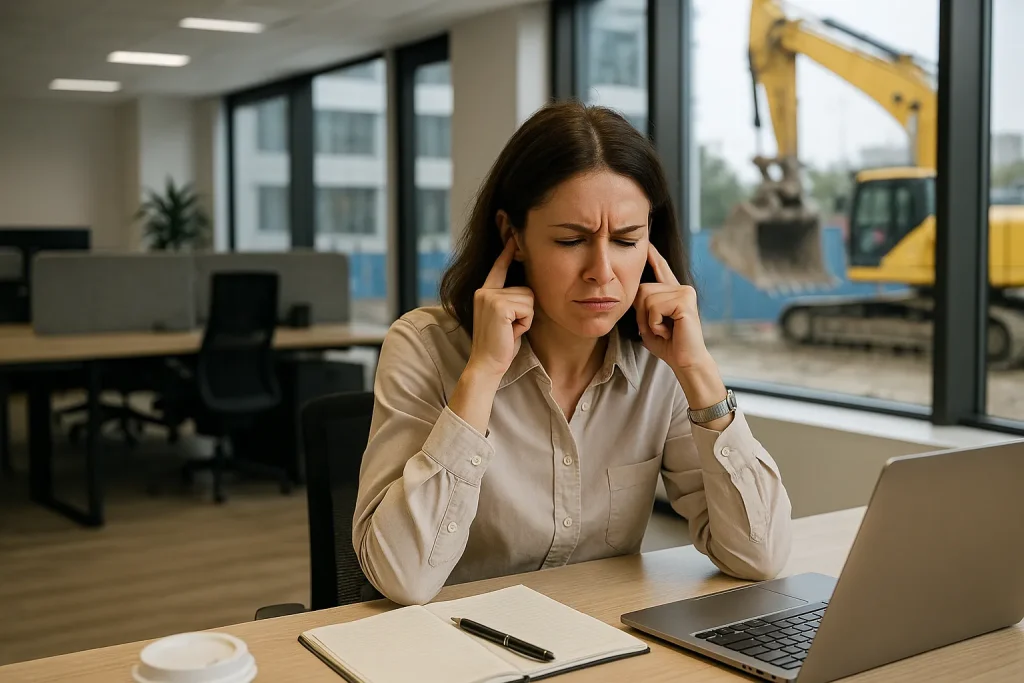
Noise is the most underestimated barrier because most people stop noticing it. Open-plan offices, busy cafes, construction sites, factory floors, and even residential workspaces with traffic outside all contribute. The brain works harder to filter background sound, leaving fewer cognitive resources for actually understanding the message.
Real example: In a customer service center, agents work in tight rows with no acoustic separation. A new hire mishears a customer’s order number — “fifty” sounds like “fifteen” through the chatter — and ships the wrong product. The fix wasn’t training. It was acoustic panels.
Faulty Equipment and Unreliable Technology
Communication tools are only as good as the moment they fail. Dropped video calls, frozen screens, poor microphones, weak signals, and outdated software introduce delays that snowball into bigger problems — especially in time-sensitive decisions.
Real example: During a virtual board meeting, a director’s audio cuts out for 90 seconds. By the time the connection returns, a vote has been called and recorded. The director’s dissent is missed entirely, raising governance questions that take weeks to resolve.
In hybrid teams, equipment failures account for a disproportionate share of “communication breakdowns” — but they’re often misdiagnosed as people problems.
Workspace Layout and Office Design
Architecture shapes behavior. A workspace that hides people in cubicles, separates departments by floor, or routes everyone past the boss’s office encodes hierarchy into the walls. People who feel watched, isolated, or hard-to-reach simply communicate less.
Real example: A growing tech firm moves into a new office where engineering and design sit on different floors connected only by a slow elevator. Within a quarter, informal collaboration drops, design feedback loops slow, and product launches start slipping. The fix wasn’t a new process — it was reseating both teams on the same floor.
This category overlaps heavily with organizational barriers, especially in rigid corporate hierarchies.
Disability-Related Barriers and Inaccessible Environments
When workplaces are not designed with accessibility in mind, employees with hearing, visual, or speech-related disabilities face daily friction that fully able colleagues don’t even notice. This isn’t just an inclusion issue — it’s a communication-quality issue affecting the entire team.
Real example: A product manager who is hard of hearing relies on lip reading. During a hybrid meeting, half the team joins on a low-resolution video feed with their cameras at awkward angles. Captions aren’t enabled. She participates 60% less than she would in person — and the team loses her input on a key decision.
Accessibility tools (live captions, screen readers, visual cues, written summaries) don’t just help individuals — they raise communication clarity for everyone.
How Physical Barriers Affect Workplace Performance
The downstream effects of unchecked physical barriers fall into four buckets:
Productivity loss — repeated clarifications, missed instructions, and time spent troubleshooting tools all eat into output.
Error rates — especially in operational, healthcare, and safety-critical roles, where a misheard or misread message has real-world consequences.
Team cohesion — communication friction wears down trust. People stop reaching out when reaching out feels like work.
Customer experience — when internal communication is fragmented, external messaging suffers too. Clients hear contradictions, get mixed promises, and lose confidence.
The compounding factor is often invisible: physical barriers tend to interact with language barriers and psychological barriers, multiplying the friction rather than just adding to it.

Practical Strategies to Overcome Physical Barriers
The fixes don’t require massive investment. They require attention.
Audit your environment first
Walk through a typical workday and list every physical obstacle to clear communication — the noisy printer, the dead-zone meeting room, the laggy projector. You can’t fix what you haven’t named.
Invest in reliable, redundant technology
A single point of failure (one Wi-Fi router, one video platform, one microphone) is a barrier waiting to happen. Build in backup channels: phone, written follow-ups, alternate platforms.
Redesign for openness, with intention
Open-plan isn’t always the answer — pure open offices can amplify noise barriers. The goal is purposeful openness: accessible meeting spaces, quiet zones for focused work, and clear lines of sight between collaborating teams.
Make accessibility the default, not the accommodation
Turn captions on by default. Share written agendas before meetings. Offer multiple ways to contribute (verbal, chat, written). Inclusive communication makes the message clearer for every listener, not just those with disabilities.
Confirm and follow up
The single highest-ROI habit is closing the loop in writing. After any important verbal exchange — a meeting, a call, a corridor chat — send a one-line summary: “Just to confirm, we’re moving the launch to the 15th.” That alone neutralizes most physical-barrier damage.
Tools That Help Reduce Physical Barriers
A short, practical toolkit:
- Acoustic treatment — panels, partitions, and white-noise systems for noisy offices
- Reliable conferencing platforms — Zoom, Microsoft Teams, Google Meet with stable hosting
- Assistive technology — screen readers, live captioning (Otter.ai, Microsoft’s built-in tools), hearing loops
- Asynchronous communication tools — Loom for video updates, Notion or Confluence for written documentation
- Low-bandwidth alternatives — phone, SMS, or email fallbacks for unstable connections
- Workplace ergonomics consultancies — for offices undergoing layout redesign
Real-World Examples Across Industries
Manufacturing: On a busy assembly line, supervisors switched from verbal instructions to a combination of headsets and visual signal boards. Error rates dropped within weeks because workers no longer had to guess at instructions over machine noise.
Healthcare: A hospital replaced its aging intercom with a digital paging system integrated into staff phones. Response times to urgent pages improved, and miscommunication between shifts dropped sharply.
Remote teams: A globally distributed software company introduced a “video-off, audio-only” rule for routine standups to reduce bandwidth load — and a “always written follow-up” rule for decisions. Meeting drop-outs stopped derailing projects.
Each fix targeted a specific physical barrier. Each was cheaper than the cost of leaving it in place.
Conclusion
Physical barriers to communication are quiet productivity killers. They rarely make headlines, but they shape every meeting, every email thread, and every cross-team handoff. Left unchecked, they erode trust, slow decisions, and cost organizations more than any single visible problem.
The encouraging news is that physical barriers are the most actionable type of communication problem. You don’t need a culture shift to fix a noisy office or a flaky video platform. You need attention, a small budget, and the willingness to audit what’s actually getting in the way.
Start with one barrier this week. Identify the noisiest moment, the laggiest tool, or the room where everyone strains to hear — and fix that one thing. Communication clarity compounds. Small physical changes create large gains in understanding, output, and trust.


